
School Attendance Management Software

See who is present, absent, on leave or still unmarked. Alingua brings student attendance records and class summaries into a workspace your school office can review throughout the day.

Book a demo
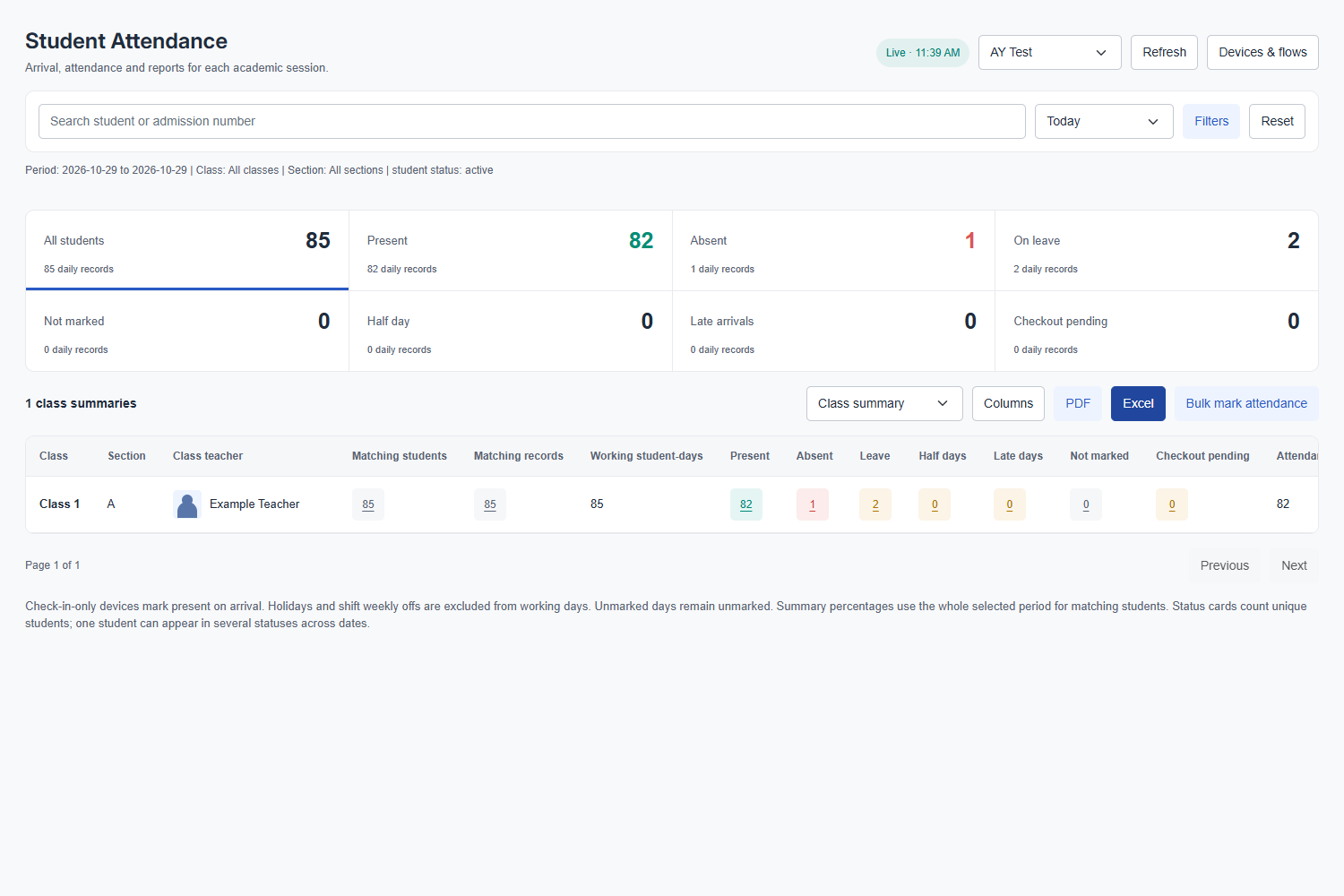
Student Attendance class summary showing sample present, absent and leave counts with class and section filters.
Student attendance class summary, shown with sample records and an example teacher. Open the image to view the full-size interface.

Review the register in its school context

Select the academic session and reporting period, then narrow the view by class, section or student. This helps the office answer a specific attendance question without mixing records from different sessions.

  • Search by student or admission number.
  • Filter the reporting period, class and section.
  • Review present, absent, leave and not-marked statuses.

Keep missing marks visible

A missing attendance entry needs follow-up. The report distinguishes not-marked records from absence and shows other attendance states, including half days and late arrivals, where recorded.

  • Use bulk marking for the selected attendance workflow.
  • Review individual records and recorded history.
  • Follow up on unmarked attendance before sharing a summary.

Move from daily records to class summaries

Class summaries bring the selected records together for the office and class teacher. Choose the period and columns you need, then use PDF or Excel exports for review.

  • Compare class and section summaries.
  • Choose report columns before exporting.
  • Use the selected date range when interpreting attendance figures.

Make the demo about your school.

Bring your class and section structure, attendance rules and any device details. We can review daily marking, exceptions and the reports your office needs.

Discuss pricing and implementation

Questions before you choose.

Does an unmarked student automatically count as absent?

No. The student attendance report keeps unmarked attendance separate. Staff should review missing entries rather than treating every missing mark as a confirmed absence.

Can we use biometric or attendance devices?

Device-based attendance requires a compatible device and configured attendance flow. Share the device model and your arrival or departure rules so the team can confirm the setup.

Does Alingua also cover staff attendance?

Yes. Staff attendance and leave are separate school administration workflows. Include both student and staff requirements in your demo request so each workflow can be reviewed.

Can attendance reports be exported?

The student attendance workspace provides PDF and Excel exports. Select the reporting period, filters and columns that match the review you need.

Let’s see how it fits
your school.

A conversation about your team, your routines and your next step.

Book your ERP walkthrough